STEP 1: Confirming Floating License Activation
Check the server console on the server computer to confirm that required floating licenses have been activated.
1) Start up GV License Manager (Server Mode) on the server computer.
2) Click [Open license server in browser].

-
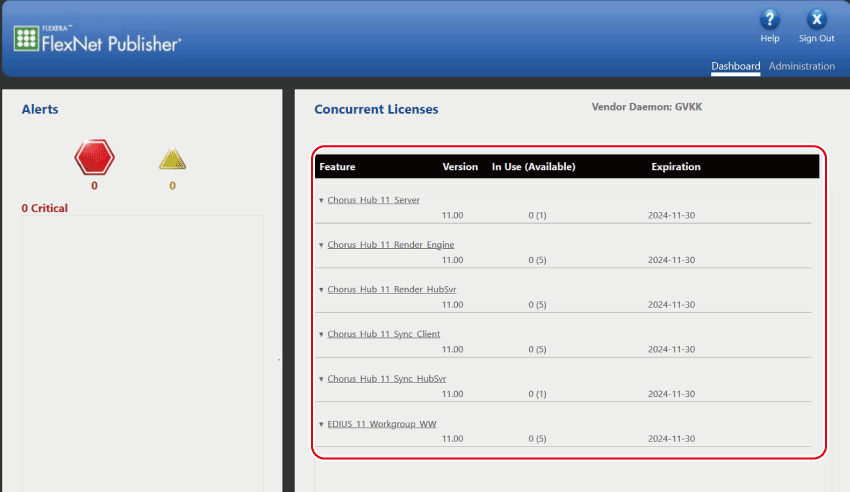
The server console is displayed in the web browser.
3) Confirm that the required licenses are displayed.
-
Confirm that the following licenses are registered.
-
Chorus Hub 11 Server
-
Chorus Hub 11 Sync Client
-
Chorus Hub 11 Sync HubSvr
-
EDIUS 11 Workgroup
-

-
If using an external render engine, confirm whether the following licenses are also displayed.
-
Chorus Hub 11 Render Engine
-
Chorus Hub 11 Render HubSvr
-
4) Close the web browser.