STEP 3: Confirming External Rendering Operation
If using an external render engine, confirm that EDIUS rendering jobs are being processed properly on the external render engine.
To do so, specify external rendering and export a file on an EDIUS client, and then check GV Job Monitor to confirm that the rendering job is processed by the external render engine.
1) Create a new project in EDIUS on the EDIUS client.
2) Load a clip from shared storage and place it on the timeline.
3) Press [F11] on the keyboard.
-
The [Print to File] dialog box appears.
4) Select any video file exporter, and select the [External Rendaring] checkbox.
-
When exporting the file, configure it to use the external render engine.
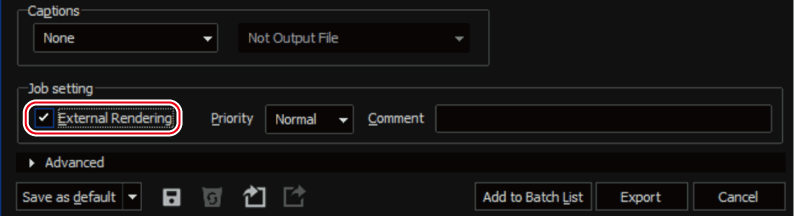
5) Click [Export], select the save destination, and click [Save] or [OK].
6) Confirm that the file export job is displayed and processed in GV Job Monitor on the EDIUS client.
-
There are two ways to display GV Job Monitor: the [Job] window and the separate [GV Job Monitor] application.